How to Learn Programming Fast (Without Burning Out)
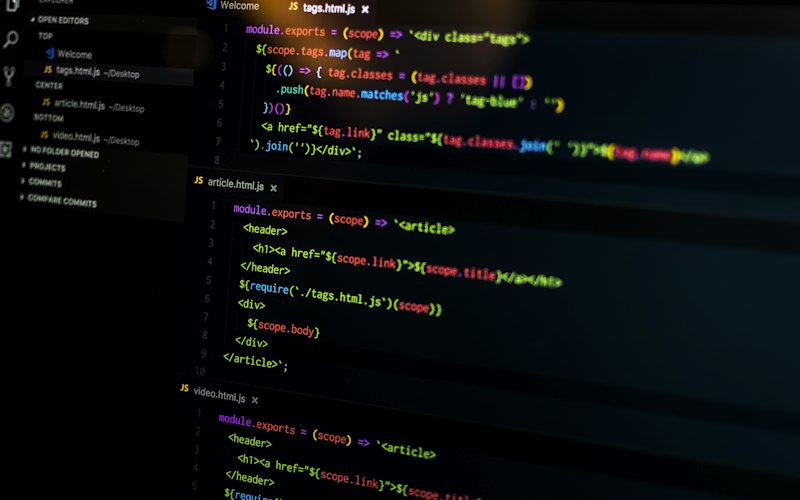
If you want to learn programming fast, the bottleneck is almost never your intelligence — it's your method. Most beginners pour months into passive tutorials and wonder why nothing sticks. The people who get fluent quickly do something specific and slightly uncomfortable: they build before they feel ready. Here's the approach, the realistic timeline, and the traps to avoid.
The Tutorial Trap
Most people spend months watching tutorials and feel like they're learning. They're not. Recognition is not the same as recall — watching someone solve a problem lights up the same "I get it" feeling as solving it yourself, but the skill doesn't transfer. The test is simple: if you can't build something from a blank file, you don't know it yet. Cap yourself at one tutorial per topic, then close it and build.
The 20/80 Rule for New Languages
20% of a language's features cover 80% of real-world code. Find that 20% and drill it until it's automatic before exploring the rest.
The Method That Works
- Do the official tutorial once — just to get your bearings
- Build something small you care about — a CLI tool, a scraper, a tiny API
- Break it and fix it — errors teach you more than clean runs
- Read code others wrote — open source projects in your niche
- Explain it out loud — if you can't explain it simply, you don't understand it
Why "Build Something You Care About" Matters
Motivation is a finite resource, and a project you actually want to exist refills it. A weather app for your city, a bot that pings you when concert tickets drop, a script that renames your messy downloads folder — the topic doesn't matter, only that you'd be a little annoyed if it didn't get finished. That mild stake is what carries you through the debugging that real learning requires.
How Long It Actually Takes
Be realistic about the timeline so you don't quit at the dip where most people do:
- Basic syntax: 1–2 weeks with daily practice
- Building real projects unaided: 2–4 months
- Getting hired as a junior: 6–12 months from zero
The discouraging middle stretch — past beginner, not yet competent — is where most people quit. Knowing it's coming makes it survivable.
The One Non-Negotiable
Code every day. Not for hours — 30 focused minutes beats 4 distracted hours. Consistency compounds faster than intensity.
Use Active Recall and Spaced Repetition
The same learning science that helps medical students memorize anatomy works for programming. Two techniques do most of the heavy lifting. The first is active recall: instead of rereading your notes or the docs, close them and try to reproduce the thing from memory — write the function signature, recall the loop syntax, sketch the API call. The struggle to retrieve is what cements the memory; passively rereading feels productive but barely moves the needle. The second is spaced repetition: revisit a concept after a day, then three days, then a week. Each successful recall at a longer interval makes the knowledge more durable. You don't need fancy software for this — a habit of rebuilding yesterday's small exercise from a blank file each morning is a spaced-recall system in disguise. If you do want tooling, Anki works well for syntax and vocabulary, and rewriting a function you wrote last week without looking is the programmer's version of a flashcard.
Learn to Read Error Messages and Use a Debugger
Beginners treat errors as failures; experienced developers treat them as the fastest feedback loop they have. Train yourself to actually read the stack trace top to bottom: the error type, the message, and the exact file and line number are almost always pointing you straight at the problem. Most people panic and paste the whole thing into a search box before reading it — slow down and parse it first. Beyond reading errors, learn your language's debugger early. Drop a breakpoint, step through line by line, and inspect variables as they change; in the browser that's the Chrome DevTools Sources panel, in Python it's pdb or the editor's built-in debugger, in Node it's node --inspect. Watching state change in real time teaches you more about how your code actually behaves than any amount of print debugging, and it turns mysterious bugs into obvious ones.
A Realistic Daily Practice Loop
Tie all of this together into a repeatable 30-minute session and the gains compound. Spend the first five minutes rebuilding something small from yesterday entirely from memory — that's your active-recall warm-up. Spend the next twenty adding one new feature to your project or working through a single focused exercise, and deliberately hit and fix at least one error along the way. Use the final five minutes to write one sentence explaining what you learned, in plain language, as if teaching a friend. That last step is the cheapest, most skipped, and most powerful: forcing yourself to explain a concept exposes the gaps you'd otherwise gloss over. Repeat that loop daily and you'll outrun people grinding twice as long with none of the structure.
Set Up Your Environment Once
Friction kills consistency. Spend an afternoon getting a comfortable setup so daily practice has zero startup cost: a good editor with the top VS Code extensions, an AI assistant you know how to steer (see getting the most out of GitHub Copilot — useful for learning, as long as you understand what it writes), and version control from day one. Once the tools fade into the background, you can focus entirely on the code.
Common Mistakes
- Tutorial hopping. Finishing five half-tutorials teaches less than building one ugly project end to end.
- Learning everything before building anything. You'll forget 90% of it. Learn the 20% you need for your project, build, then learn more.
- Skipping the errors. Reading a stack trace and fixing it yourself is the actual skill. Don't paste it straight into an AI and move on.
Resources That Don't Waste Your Time
- roadmap.sh — structured learning paths by role, so you know what to learn next
- Exercism — practice problems with feedback from human mentors
- Build your own X — a GitHub repo of guides for rebuilding real tools from scratch
For more guides on tooling and developer skills, browse the tech category.

